Combo Fighter
Every key is a punch. Keep typing and the hits climb higher, with a combo counter on screen. Enter is the knockout.
 KeyPop
Download
KeyPop
Download
For Windows 10 and 11
KeyPop plays a sound on every key you press. Mechanical clicks, piano notes, arcade combos, screams. Try it right here: just start typing.
Free to download and try. One file, nothing to install.
Launch price: $4.99 for the first 20 customers, $9.99 after launch.
28 sounds, 6 categories
Every key is a punch. Keep typing and the hits climb higher, with a combo counter on screen. Enter is the knockout.
Each key plays a note from a scale, so anything you type turns into a tune. Low notes on the left, high on the right.
Type calmly and it grunts. Speed up and it starts screaming. Backspace is one long wail.
Short ones on letters, long ones on Space. Install it on a friend's PC and walk away.
Thock, Clicky, Creamy and Typewriter. The sound of a mechanical keyboard on any laptop.
Songbirds, owls, cats, frogs, bubbles, raindrops, 8-bit blips, goats and metal pipes. Twenty more to explore.
Shortcut drama
Turn on Shortcut drama and KeyPop reacts to actions, on top of whichever pack you chose. Tap one to hear it, or switch it on and use your own keyboard.
Speed, streaks and which key you hit all change what you hear. It is a toy, and it plays back.
Pick audio files from your PC and KeyPop turns them into a pack: your voice, your cat, a favourite sound effect.
KeyPop lives in the system tray. Change the sound or mute it from the tray menu in two clicks.
A key press only picks a sound. Nothing you type is recorded, stored or sent anywhere.
One file. Download it, open it, type. It works on any 64-bit Windows 10 or 11 PC.
The app
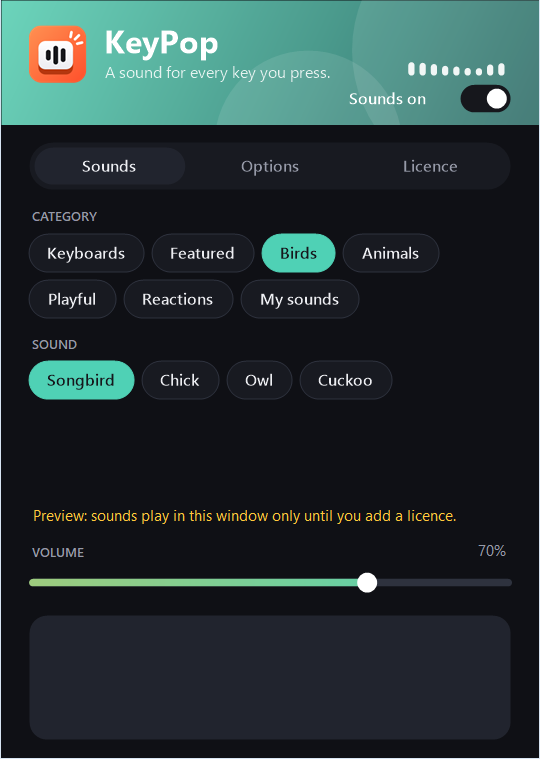
Pick a category and a sound, set the volume, and try any sound before you use it.
Close the window and KeyPop keeps running in the tray. Right-click it to change sound, mute or quit.
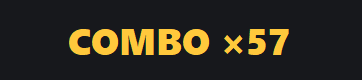
Combo Fighter shows your streak in the corner of the screen. It never takes focus and clicks pass through it.
Pricing
$0
$4.99 $9.99 one-time
Launch price for the first 20 customers. Then $7.99.
One payment, no subscription. Secure checkout by Dodo Payments. All sales are final: refund policy.
Download the app and try the sounds, then paste your licence key into its settings window to use them in every app.
Not yet. KeyPop is for Windows 10 and 11.
Only if your speakers are on. The sound plays through your PC's normal audio output, so headphones keep it to yourself.
No. It sits in the tray, plays short sounds and releases the audio device when you stop typing.
No. KeyPop notices that a key was pressed so it can choose a sound, and that is all. It does not record, store or send what you type.
No. Licences are non-refundable, which is why you can try every sound in the app before buying. See the refund policy.
You get a key by email after buying. Paste it into the app and it unlocks. A key works on one PC and can be activated once, so activate it on the PC you plan to keep using.
New apps from small developers often trigger a Windows SmartScreen notice. Choose "More info", then "Run anyway".
Open KeyPop.exe when it finishes. If Windows shows a blue "protected your PC" box, choose More info, then Run anyway.